1. Log in to your National Student Clearinghouse account.
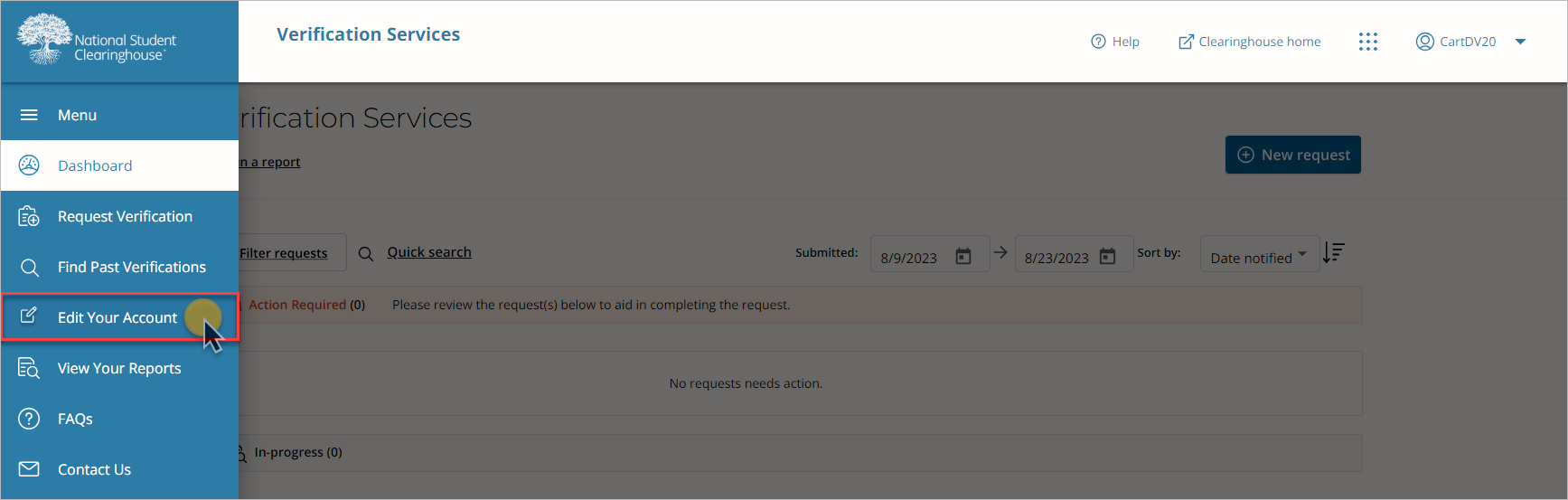
2. On the left navigation menu, select “Edit Your Account.”
3. You may be presented with the terms and agreements page, which you’ll need to accept to proceed.
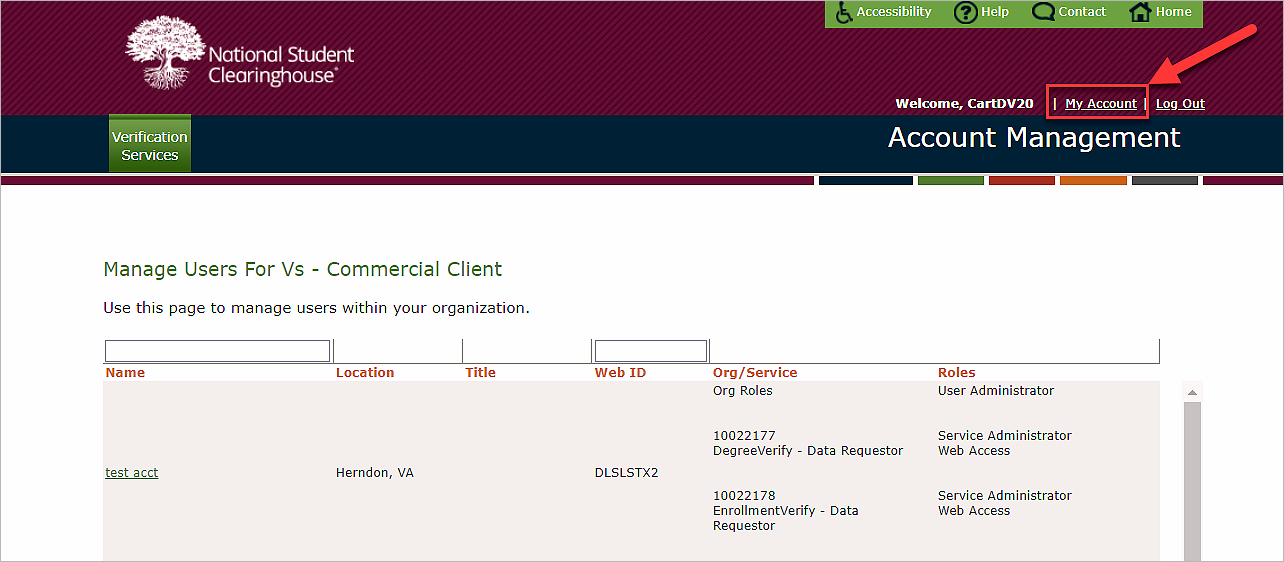
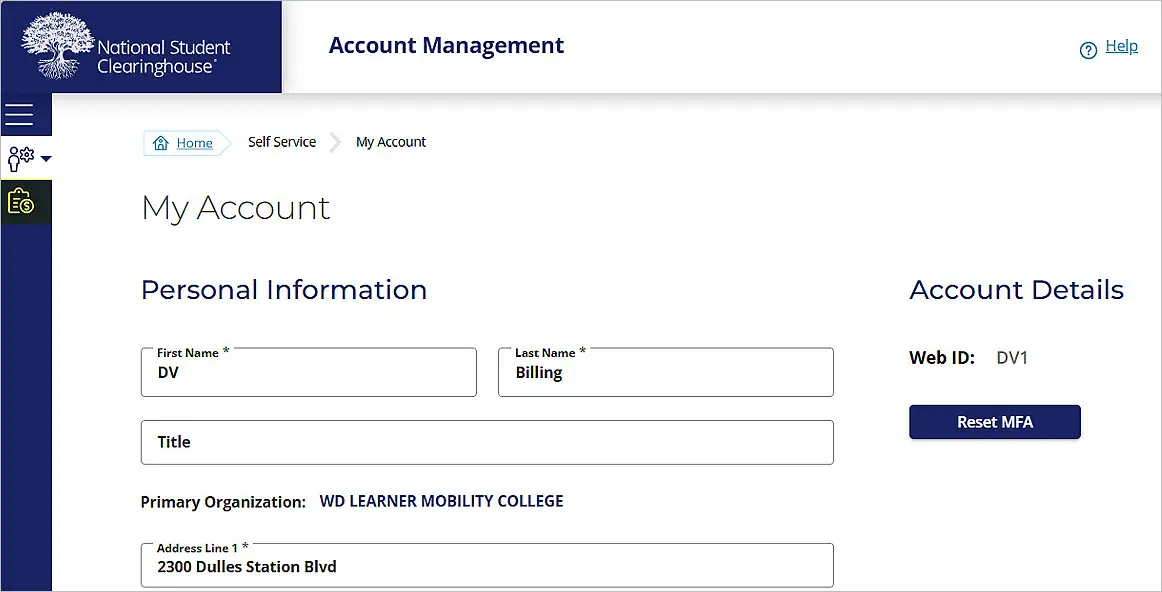
4. On the Account Management page, select “My Account” in the top right menu bar.
To pay by credit card
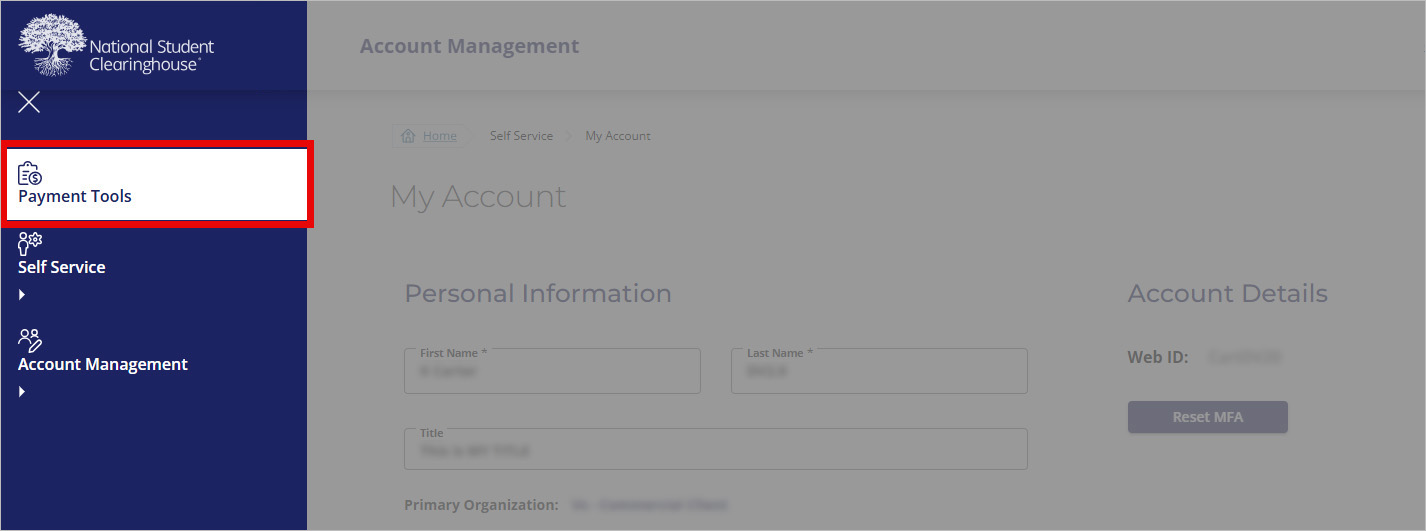
1. Select “Payment Tools” in the left navigation bar.
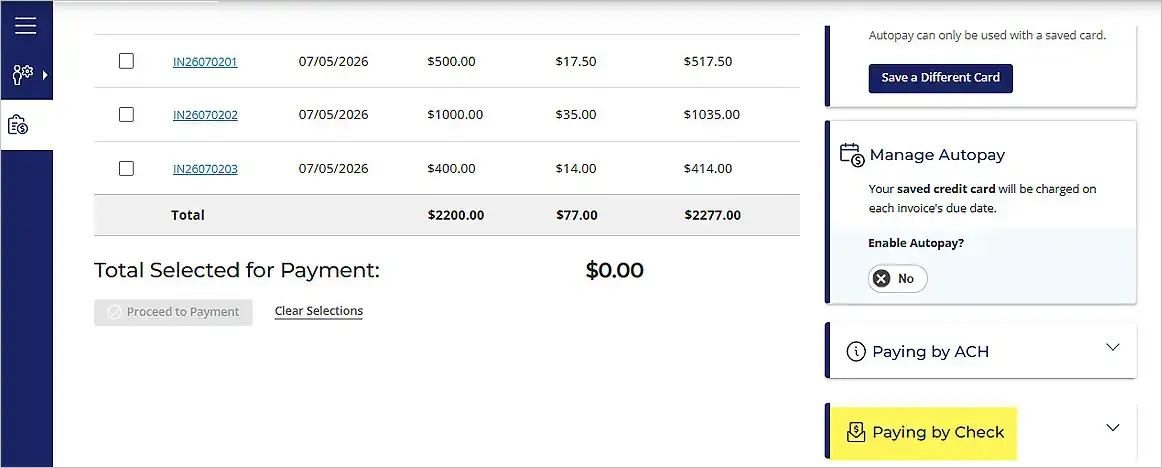
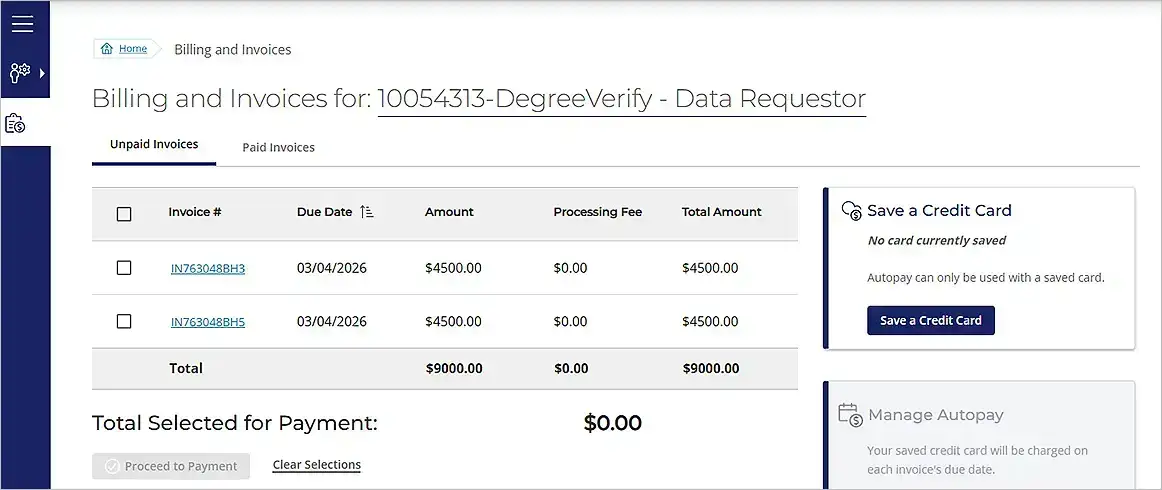
You will land on the Billing/Invoices page. This landing page allows users to:
- View, select, and pay unpaid invoices
- Manage credit card information
- Setup and manage Autopay settings
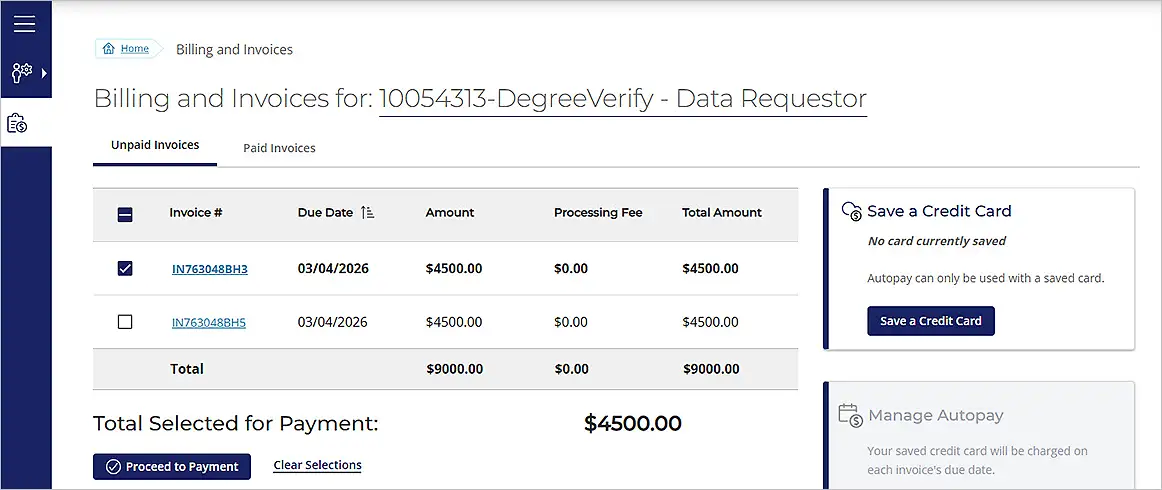
3. Select the invoice you’d like to pay, then choose “Proceed to Payment.”
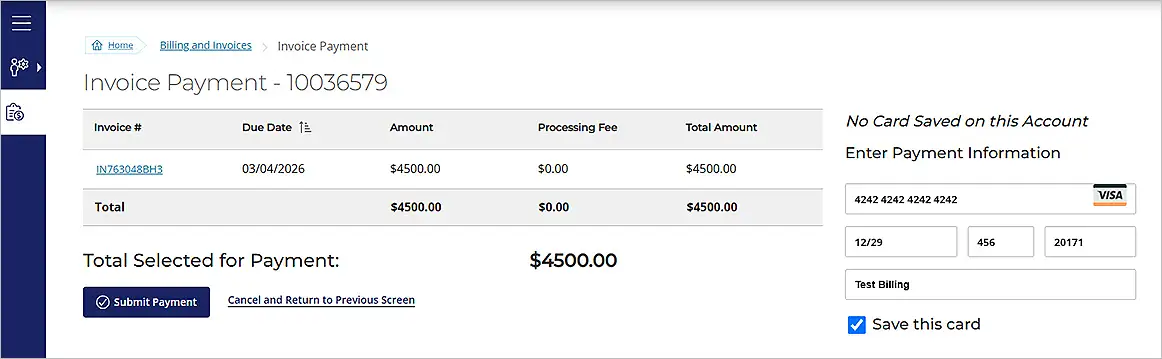
4. Enter the required credit card information, then select the “Submit Payment” button at the bottom of the screen. You can also click the “Save this card” checkbox to save your payment information for future transactions.
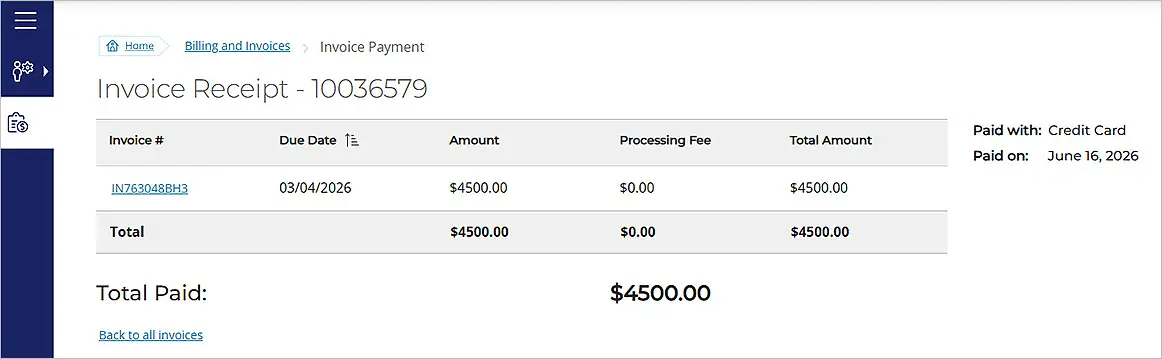
5. Once payment is made, you will receive a payment confirmation page.
To pay by Automated Clearing House (ACH) or check
1. To pay by ACH, select the “Paying by ACH” link. The page will expand to show the relevant information for payment.
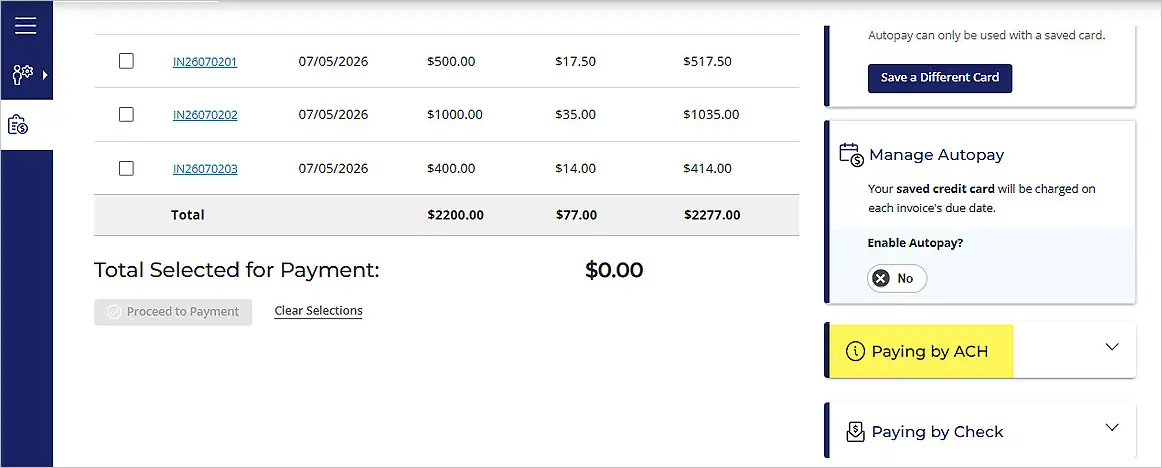
2. To pay by check, select the “Paying by Check” link. The page will expand to show the relevant information to pay by check.