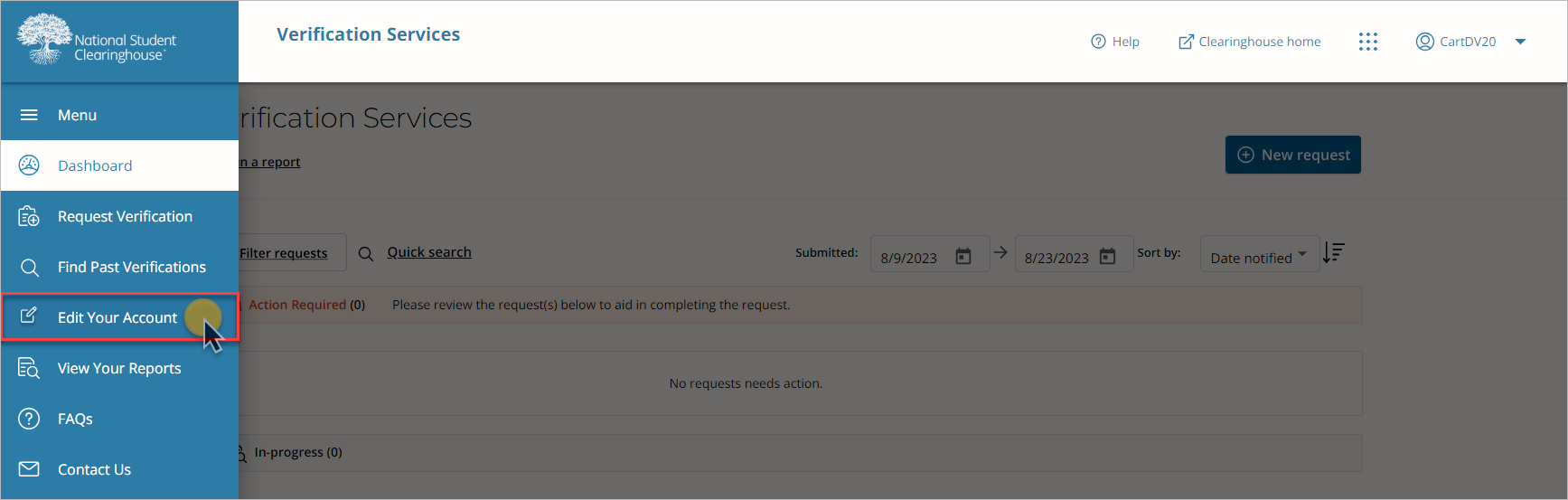
1. After logging onto our secure site, select “Edit Your Account” from the left menu.
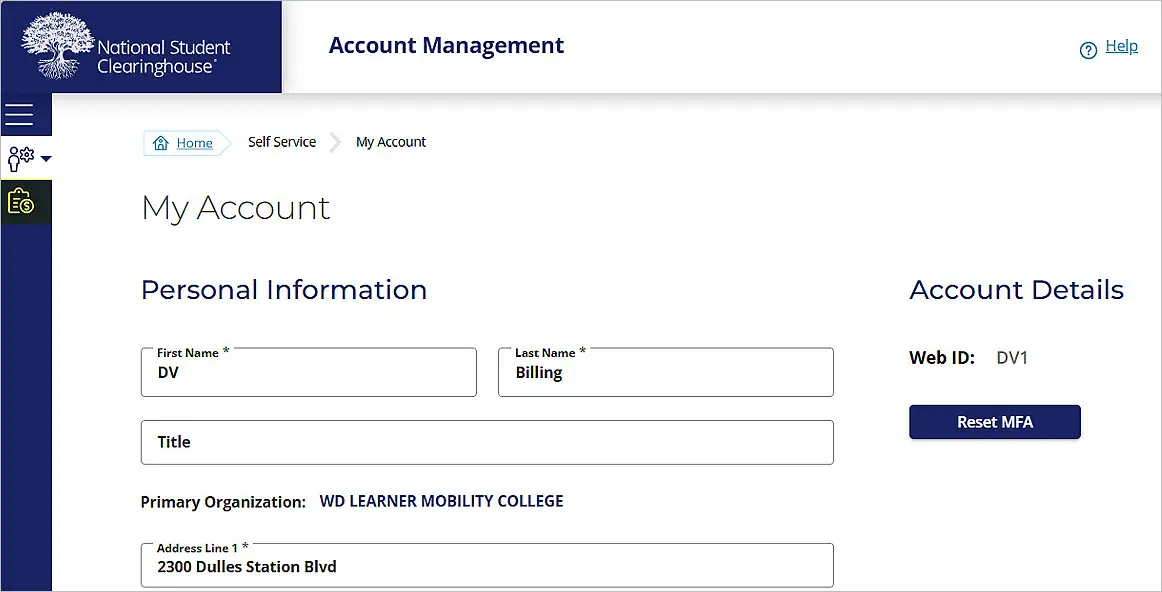
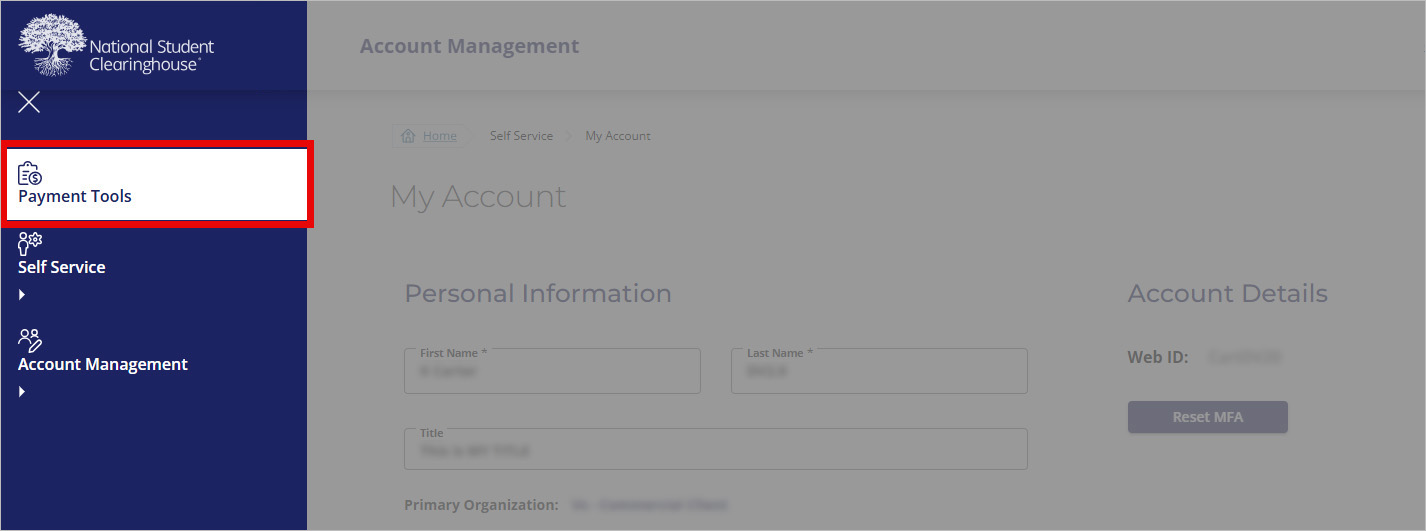
2. Select “Payment Tools” in the left navigation bar.
3. Select “Enable Autopay.”
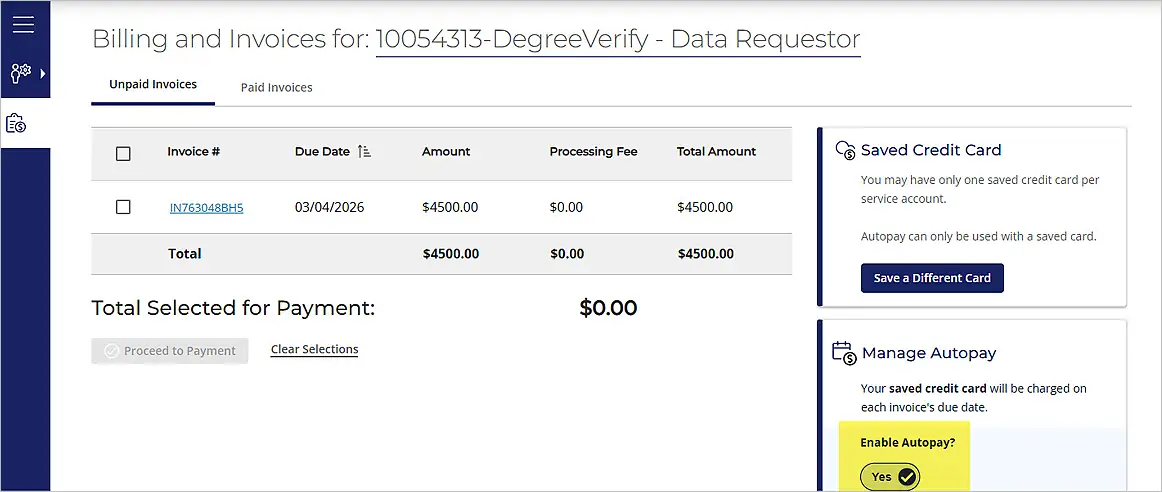
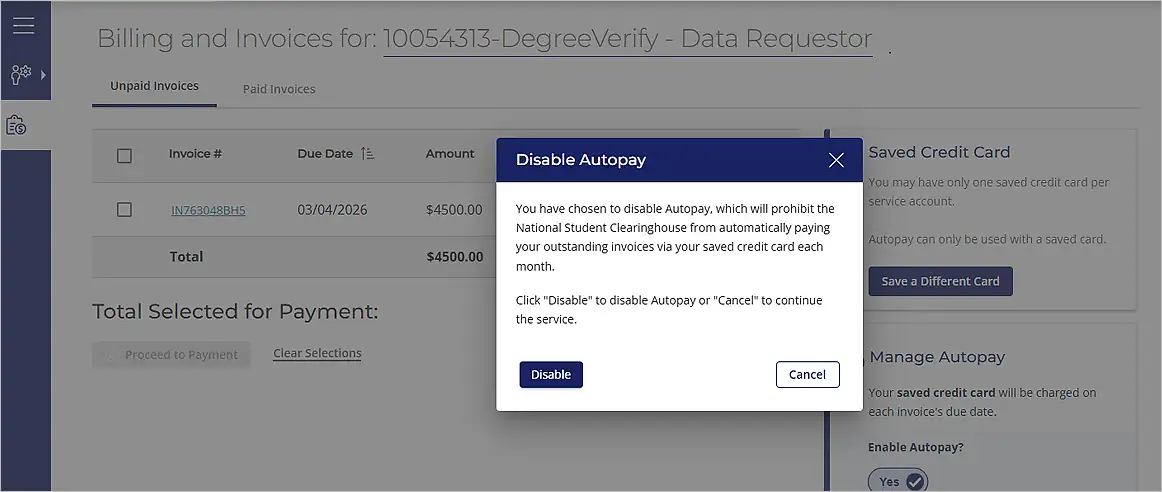
4. A new popup will display confirming the request to remove Autopay. Click “Disable” to finish removing Autopay.