Host Reverse Transfer File Submission Summary User Interface
Contents
Host Reverse Transfer File Submission Screens and Reports
As a host institution, once course files have been submitted to the Clearinghouse, you can access information about your files via the Reverse Transfer page on our secure site (see screenshots and descriptions below).
From the tab, you can access a detailed summary of your historical submission(s) and search prior file submissions.
Detailed validation errors for specific submissions are also provided if any exist.
Search Criteria Screen
At the top of the page, you (as host) can search for a file using the following search criteria.
Search Criteria
SSN: 123456789
First Name: John
Last Name: Smith
DOB: 08011978
Result
SSN: 123456789
First Name: John
Last Name: Smith
DOB: 08011978
Search Result Detail Table
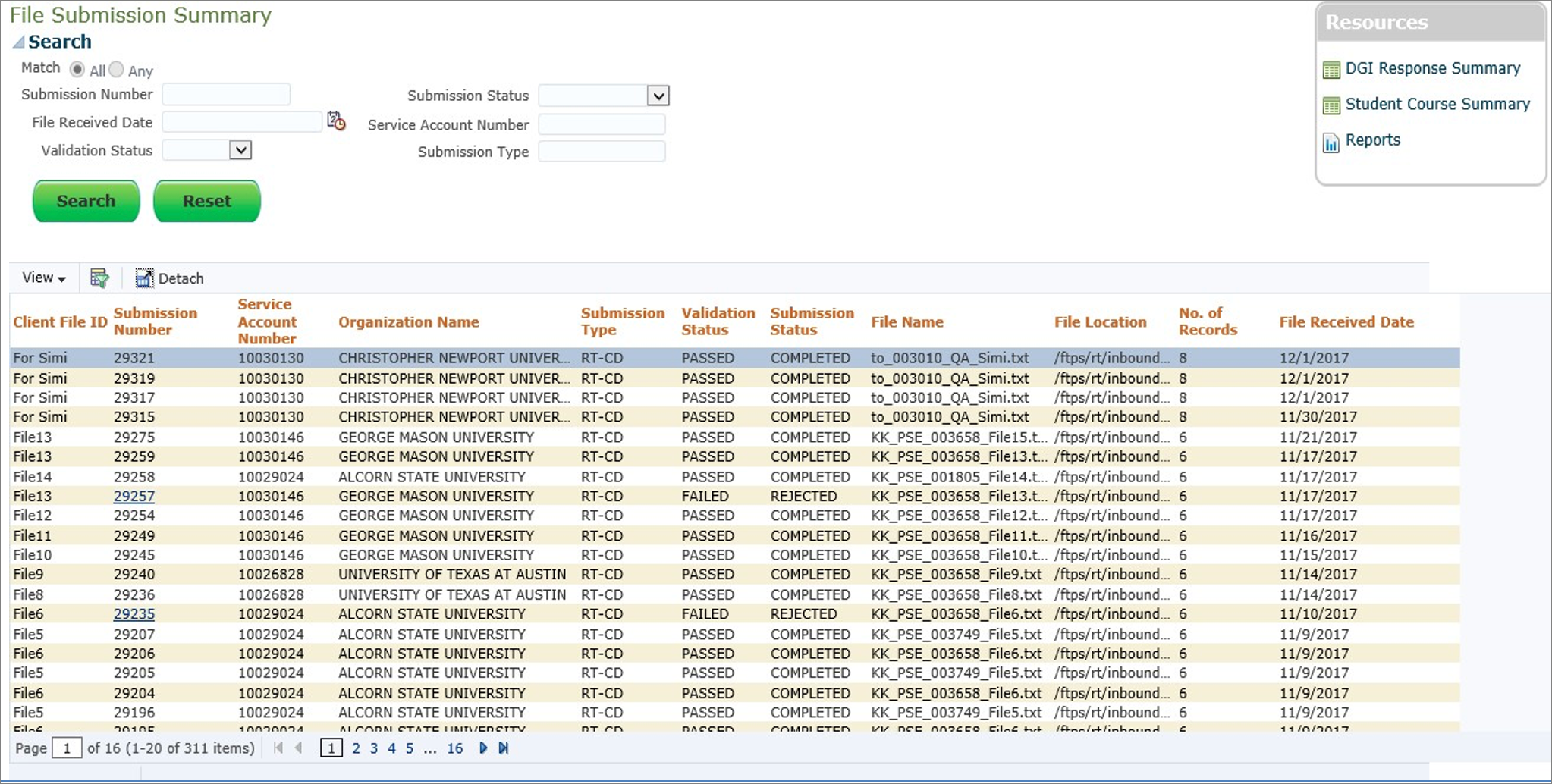
The File Submission Summary page displays details of the file’s submission status.
The host can search for a specific file to check the status of the file.
The page default is sorted by most recent submission first and then submission number.
The host institution can select a record with a failed status and view details on why the file submission failed in order to make the appropriate changes and resubmit the file.
FieldName
Comments
Client File ID
Client ID that the host gave to the file (e.g., RTAustinFall2014)
Submission Number
Clearinghouse-generated number for tracking submitted files
Validation Status
Status of the submitted file: passed, failed, or pending
Organization Name
Name of sending institution
File Name
Name of the submitted file
No of Records
Total number of records in the submitted file
File Received Date
The date the file was received by the Clearinghouse
Validation Error Details
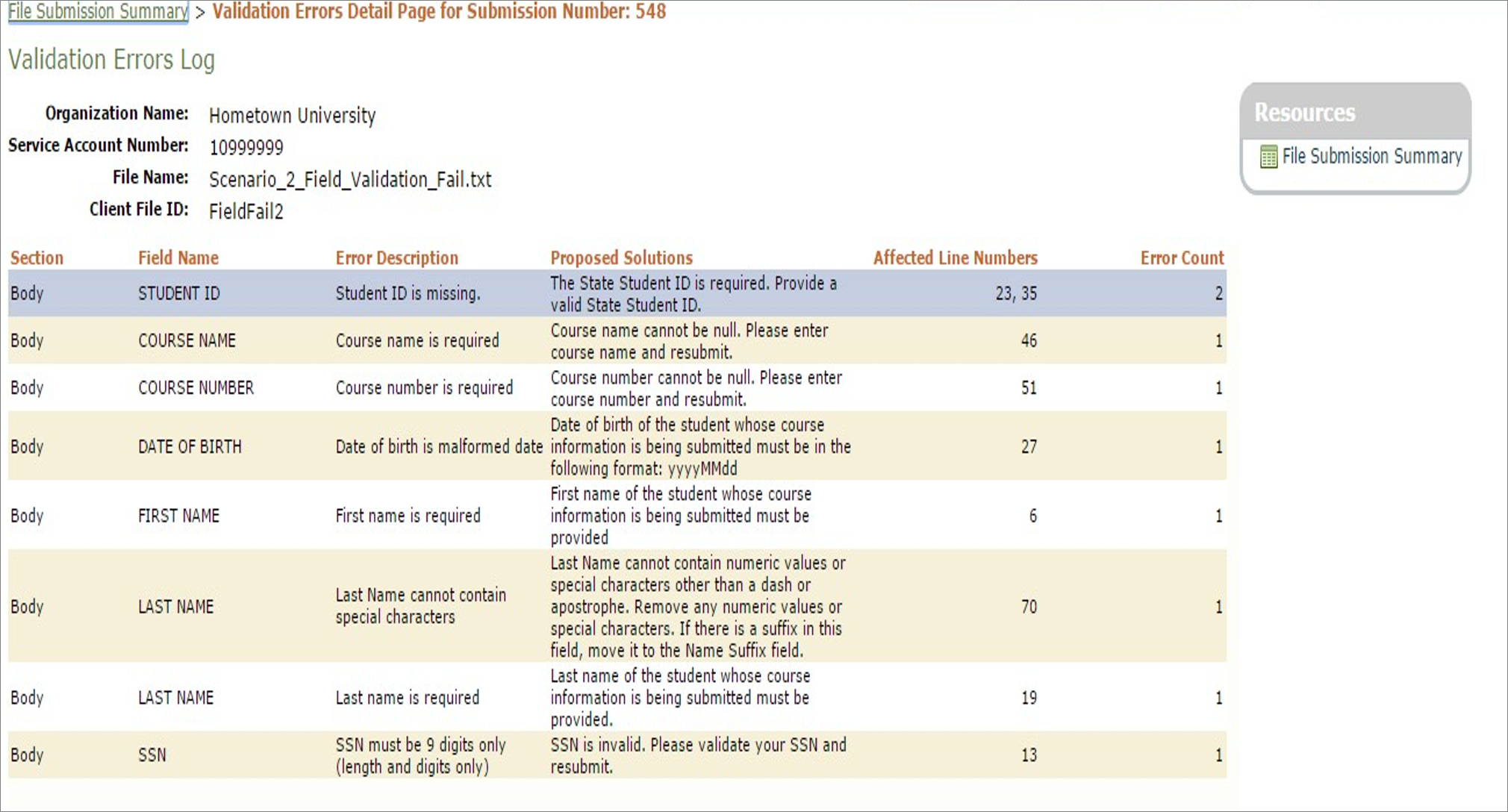
The host institution can select a record from the file submission page with a failed status and view details on why it failed.
The Validation Error Details page provides information on the errors encountered and offers proposed solutions on how to correct the errors.
FieldName
Comments
Section
Name of the section where the error was found (i.e., header, body, trailer)
Field Name
Name of the field where the error was found
Error Description
Error details
Proposed Solutions
Proposed changes to make before resubmitting the file
Affected Line Numbers
The Line number where the error was found (Notepad++ can be used to see the line numbers in a data file.